


Pizza Boy A Basic
4.92.20K Reviews
App Specs
- Version
- 2.3.3
- Updated On
- License
- Free
- Downloads
- 1,000,000+
- Developer
- Pizza Emulators
- Categories
- Arcade
- Platform
- Android
Screenshots
 Analysis by AppCompare
I spent time with Pizza Boy A Basic as a straightforward way to play Game Boy Advance titles on a phone, and my main impression is simple: it succeeds because it keeps the experience focused. This is an arcade game-category app from Pizza Emulators, but it is really an emulator rather than a conventional game with its own levels or story. That distinction matters, because its value depends less on built-in content and more on how comfortably it lets you use your own legally obtained game files.
The app is free and aimed at Everyone, which makes it approachable for casual players who want to revisit handheld classics without learning a complicated setup process. I found its appeal strongest in short sessions: a few rounds during a commute, a quick nostalgic replay before bed, or a longer weekend session with a controller. It does not try to turn emulation into a social platform or a giant media library. Instead, it puts the basic GBA-playing experience first.
A focused GBA emulator that gets the everyday basics right
The first thing I noticed was how little friction there is between opening the app and understanding what it is for. The store summary calls it an easy-to-use GBA emulator, and that description is fair without being the whole story. Pizza Boy A Basic is useful precisely because it does not bury the central task under unrelated menus. If you already have a compatible game file, the general workflow feels much closer to opening a document than configuring a specialist tool.
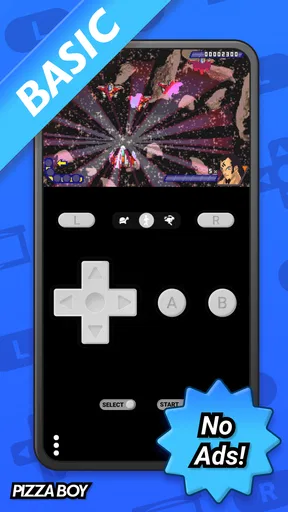
That simplicity is especially helpful on a touchscreen. Virtual controls are never identical to physical buttons, but a clean layout makes a major difference in platformers, turn-based adventures, and puzzle games. I would still choose a physical controller for demanding action games, yet the on-screen approach works well when I am playing casually or do not want to carry extra hardware. The phone becomes a compact handheld rather than a project I have to manage.
Its popularity also gives me some confidence when recommending it to newcomers. Pizza Boy A Basic has an average rating of 4.9 from around 42 thousand ratings, with roughly 2.2 thousand written reviews and over a million installs. Those figures do not guarantee that every phone, file, or controller will behave identically, but they do suggest that the app has found a broad audience beyond dedicated emulation enthusiasts.
Why the free version is attractive for casual players
Because the app costs nothing, it is easy to test without committing money to a tool that may not match your habits. That is important with emulators: some people play one favorite title for a week, while others build a large library and expect extensive organization. A free starting point lets me answer the practical question first—does this feel comfortable on my device and with my preferred controls?
I also like that the app can suit different levels of involvement. A first-time user can treat it as a simple launcher for a familiar handheld game, while a more experienced player can pay attention to control placement, screen presentation, and how the emulator fits into a longer routine. The app does not force everyone into the same style of use.
Worth Reading Before You Choose

EA SPORTS FC Mobile 26 Is a Bigger Football Game, but It Takes Time

Flipboard Shows What News Apps Must Do Beyond the Feed

Switching to Android Auto Means Rethinking Your Driving Routine

Google Calendar Makes a Crowded Week Easier to Manage

Ludo King Makes the Most of the Minutes Between Plans

Baby Panda World Brings Quick Play to Modern Phones, but Its Game Library Feels Busy
One useful habit is to test the controls with a slow or menu-heavy game before choosing a fast action title as your main trial. That reveals whether the virtual buttons feel natural to your hands and whether your phone’s screen size works for you. If the layout feels cramped during a calm game, it will usually feel worse when the action becomes intense.
Where it fits among the usual alternatives
The normal alternatives are playing on original hardware, using a different GBA emulator, or relying on a broader multi-system emulator. Original hardware offers the most authentic physical feel, but it is less convenient for someone who wants one phone to handle a quick session. A multi-system app may be better if you want several consoles in one place, though that wider scope can also mean more settings and a less focused interface.
Pizza Boy A Basic makes the most sense when GBA is the priority. I would choose it over a sprawling emulator front end for a friend who wants to revisit a handful of handheld games without learning a large library manager. On the other hand, someone who regularly switches between many systems may prefer a broader solution, even if it takes longer to configure.
The comparison with other dedicated GBA emulators is more personal. Some users will care most about advanced customization, extensive file management, or a particular control scheme. I would not choose this app solely because it has a high rating; I would choose it because its uncomplicated approach matches the way I want to play. The best emulator is often the one that disappears during use.
What I would prepare before playing
The app is not a replacement for owning the games you want to play. Before installing it, I would make sure I had legally obtained compatible files and knew where they were stored on the phone. Keeping those files in a clearly named folder saves time later and makes it easier to find the right game without repeatedly searching through unrelated downloads.
I would also check the phone’s available storage and decide whether I want to play with touch controls or a controller. These are small preparations, but they prevent the most common disappointment: blaming the emulator when the real problem is an awkward file location or controls that were never tested properly.
For a shared family device, the Everyone age rating makes the app approachable, but the games launched through an emulator can have their own content and age suitability. I would judge the individual game separately rather than assuming the app’s rating describes every title a person might open.
The strongest part of the experience is its low learning curve
My favorite quality here is not a flashy feature; it is the reduced mental overhead. When I return to a handheld game after a long break, I want to spend my attention on the game itself. An emulator that makes me think constantly about profiles, system settings, or complicated navigation gets in the way. This app feels designed for the person who wants to pick up a familiar game rather than study an emulator manual.
That makes it particularly suitable for nostalgia-driven play. A former GBA owner may remember the games clearly but have no interest in maintaining old hardware. A phone-based option is easier to keep nearby, and free access lowers the barrier to trying it. I can imagine using it during a quiet evening when I want something more focused than scrolling through short videos.
It also works well for games that do not demand perfect physical precision. Turn-based role-playing games, card-based adventures, strategy titles, puzzle games, and slower exploration games are natural matches for touch controls. The screen can remain uncluttered enough for reading menus and dialogue, while the player can pause whenever real life interrupts.
A realistic everyday scenario
Imagine having fifteen minutes before an appointment. I would open the emulator, choose a familiar GBA game, and play a short section that does not require a long uninterrupted commitment. If the appointment arrives, I can stop without unpacking a console or finding a television. Later, I can return to the same routine at home with a controller if I want more comfortable input.
That flexibility is the real reason to use a phone emulator. It turns games that were once tied to a small handheld into something available in the same place as messages, music, and maps. The trade-off is that the phone is also full of distractions. For me, the app works best when I decide in advance what I want to play instead of opening it without a clear choice.
The meaningful weakness: simplicity has a ceiling
The same focus that makes Pizza Boy A Basic friendly can make it less satisfying for users who want a deeply customizable setup. If your ideal emulator experience involves fine control over every visual, input, and library detail, a basic edition may feel restrictive. I would not recommend it automatically to someone who already knows exactly which advanced options they need.
Touch controls are another unavoidable limitation. Even when the layout is sensible, a flat screen cannot reproduce the tactile separation of a real handheld’s buttons. Fast platforming, precise timing, and games that require several simultaneous inputs may expose that weakness quickly. A Bluetooth controller can improve the situation, but then the convenience of playing with only the phone becomes less complete.
There is also a practical responsibility that belongs to the user: organizing game files and keeping expectations realistic about compatibility. An emulator can be easy to use while still depending on the phone, the file, and the specific game behaving properly together. When something goes wrong, troubleshooting may require more patience than a regular game downloaded from an app store.
I would also avoid treating the rating as proof that it is perfect for every device. A 4.9 average is impressive, but personal comfort depends on screen size, touch sensitivity, controller preferences, and the kinds of GBA games you play. Someone who dislikes virtual buttons may remain unhappy even with an otherwise polished emulator.
Three ways to get more from the app
First, I recommend separating “testing” from “committing.” Start with a game you know well and play for enough time to evaluate the controls, text readability, and general comfort. Familiar games make problems easier to identify because you already know how the original experience should feel.
Second, keep a small, organized selection of legally obtained games rather than filling the phone with files you may never open. A focused library makes the app feel faster and more approachable. It also helps when you are choosing a game in a short break, because you are not scrolling through a confusing list.
Third, match the control method to the genre. Use touch input for menus, slower exploration, and turn-based play; use a controller when timing and precision matter. This simple division prevents an unfair judgment of the emulator based only on a game that was never comfortable with on-screen buttons.
A fourth tip is to treat the phone’s battery and notifications as part of the setup. A long session can be interrupted by calls, alerts, or low power, so I prefer shorter saves and a quieter environment when I am playing something story-heavy. That is not a special feature of the emulator, but it is a real part of using a phone as a handheld replacement.
Who should install it, and who should skip it
I would recommend Pizza Boy A Basic to someone who wants a free, approachable way to play GBA games on a modern phone and values a direct route from launch to play. It is a particularly good fit for returning players, casual users, and people who want a compact option for slower or turn-based games. The app’s Everyone rating also makes it easy to consider for a broad household audience, while still leaving game-by-game content decisions to the user.
I would be more cautious about recommending it to someone who wants one application for many different consoles. A multi-system emulator may be a better long-term home for that library. I would also point demanding action players toward a physical controller or original hardware, because no touchscreen arrangement fully replaces the feel of dedicated buttons.
Likewise, if your priority is advanced customization rather than ease of use, compare the available options before settling here. Pizza Emulators has made the basic experience the center of this product, and that is a strength only when “basic” matches what you want.
Support and version context
The app was released on June 11, 2019, and the current version is 2.3.3. It requires Android 8.0 or later, so I would check the operating system before planning a setup on an older phone. That requirement is modest for many current devices, but it still matters if you are trying to reuse an aging handset as a dedicated gaming device.
The version information is also useful when troubleshooting. If a friend is using a different release, our menus or behavior may not match exactly, so I would first compare versions before assuming that a problem is caused by a game file or controller. Keeping the app current where possible is a sensible starting point, but I would still judge the experience on the actual phone I intend to use.
My final recommendation
Pizza Boy A Basic earns my recommendation as a focused, free GBA emulator rather than as an all-purpose gaming platform. Its best quality is the way it lowers the barrier between wanting to revisit a handheld game and actually starting one. The high average rating and large install base support the impression that many players find that approach effective, but my recommendation rests more on the app’s clear purpose and manageable learning curve.
The limitations are real: touchscreen controls can never satisfy everyone, advanced users may want more depth, and the experience still depends on legally obtained game files and a compatible phone. Those are not reasons to dismiss it; they are reasons to choose it with the right expectations.
If your goal is simple GBA play on Android, this is one of the easiest places to begin. I would install it for a nostalgic library, test it first with a familiar game, and add a controller only when the genre demands more precision. If you want a broad multi-console setup or exhaustive customization, another emulator may suit you better. For everyone else, Pizza Boy A Basic does something valuable: it keeps the path to a short, enjoyable handheld session pleasantly uncomplicated.
Pros
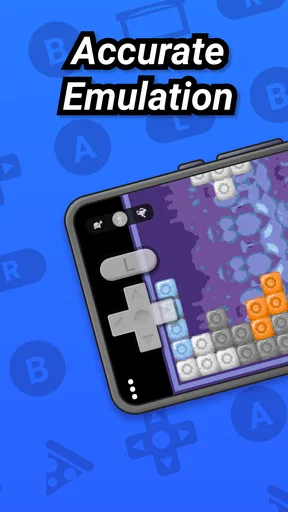
- Accurate emulation delivers smooth gameplay on most compatible devices.
- Simple touch controls make quick sessions easy to start.
- Supports save states for convenient progress management.
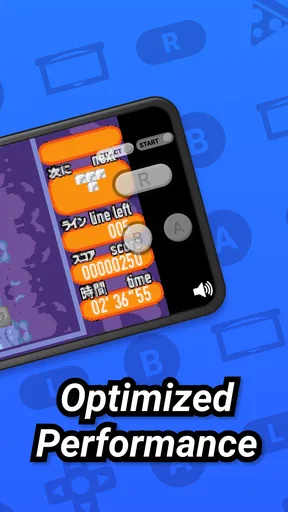
- Low resource usage helps preserve battery during longer play sessions.
- Clean interface keeps essential emulator tools easy to find.
Cons
- The Basic version has fewer features than the paid Pizza Boy editions.
- Touchscreen controls can feel imprecise during fast platforming sections.
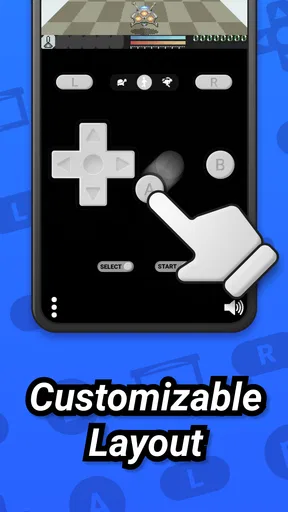
- Some games may require manual button layout adjustments.
- No original Game Boy hardware is included for comparison or authenticity.
- Compatibility and performance can vary between phones and Android versions.
FAQs for Pizza Boy A Basic
What is Pizza Boy A Basic?
Pizza Boy A Basic is an Android emulator designed to run Game Boy Advance titles on compatible smartphones and tablets. During testing, it provided a straightforward way to load legally obtained game files, configure controls, and adjust performance settings. It is intended for users who want to revisit classic handheld games, although the exact experience can depend on the device, Android version, and quality of the game file being used.
Is Pizza Boy A Basic free to download and use?
Pizza Boy A Basic is generally offered as a free version, making it accessible to users who want to try the emulator without paying in advance. However, availability, advertising, optional upgrades, and included features may vary depending on the version distributed through the app store. Before downloading, check the current store listing carefully to understand whether a paid edition or additional purchase is available.
Does Pizza Boy A Basic include games?
No, Pizza Boy A Basic is an emulator rather than a game collection, so it does not normally include copyrighted Game Boy Advance games. You need to provide your own legally obtained game backups and load them through the app. Users should also review the laws in their country regarding ROMs, BIOS files, and personal backups before downloading or using any game files.
What features does Pizza Boy A Basic offer?
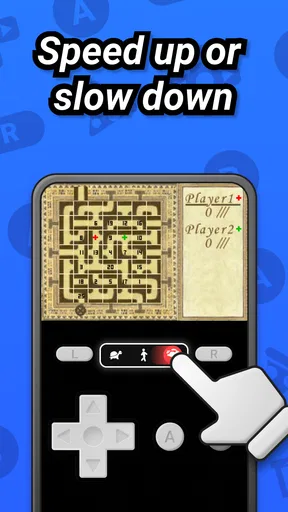
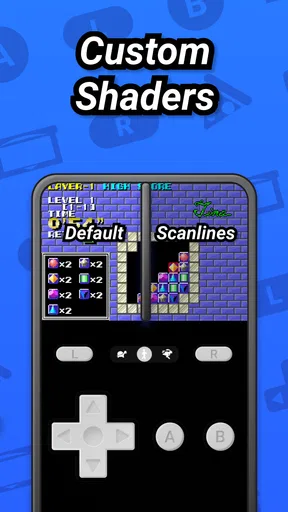
Pizza Boy A Basic focuses on the essential features needed for comfortable handheld emulation. Depending on the current release, users may find customizable on-screen controls, save and load states, fast-forward support, visual options, audio controls, and compatibility settings. The interface is relatively approachable, but some advanced options may require experimentation to achieve the best balance between image quality, sound, battery use, and performance.
Will Pizza Boy A Basic run smoothly on every Android device?
Pizza Boy A Basic is designed to work efficiently on many Android phones and tablets, but smooth performance is not guaranteed on every device. Older hardware, unusual Android configurations, demanding games, or poorly dumped files can cause audio glitches, slowdowns, or control issues. A newer device usually delivers the most reliable results, while adjusting frameskip, audio, or graphics settings may help on weaker hardware.


